How to group your Android contacts by company
Your contacts already store a company and job title for most people. Here is how to fill those fields, why they beat labels and groups, and how to browse by them.
Android's contact list is alphabetical, and alphabetical is the wrong order for almost every question you actually ask it.
You rarely think "I need someone whose surname starts with K." You think "who do I know at that agency?" or "who was the ops lead there?" — questions about organization and role, not spelling.
The useful thing is that your contacts already have fields for both. They are just usually empty.
The fields you are not using
Open any contact and tap edit. Alongside name and phone you will find, depending on your phone:
- Company (sometimes "Organization")
- Job title (sometimes "Designation")
- Address, including city
- Important dates — birthday, anniversary
These are standard contact fields. They sync with your Google account, they survive changing phones, and every contacts app can read them. They are the closest thing your phone has to a CRM, and they cost about eight seconds each to fill in.
Why this beats labels and groups
Android does offer labels (called groups on some phones). You can make a label per company and add people to it.
It works, but it decays for two reasons.
It duplicates information you already have. If you type the company into the company field, that fact is stored once and stays true. If you also maintain a label, you now have two records of the same fact and they drift apart the moment someone changes job.
Labels do not travel. The company field is understood by every contacts app, every export, every sync. A label is a grouping you maintain by hand forever.
The rule of thumb: put facts in fields, and use labels for things that are genuinely a grouping — "five-a-side team", "street party WhatsApp" — where there is no underlying fact to record.
Filling the fields without a boring afternoon
You do not need to do all of them. Do it opportunistically:
When you save a new contact. Type the company at the moment you create it. You are already in the edit screen and you will never know more about this person than you do right now.
When someone calls and you have to think about who they are. That hesitation is the signal the record is thin. Take ten seconds and fill it in.
From email signatures. If you have a work email thread with someone, their signature has their exact title and company. Copy it across.
From business cards. A card is the company and title, printed. Typing them in is dull, which is why scanning is worth it — Contacts Plus reads a card with on-device text recognition and drops the company and job title into their proper fields, with a review step so you can correct anything the OCR got wrong.
Actually browsing by company
Here is the frustrating part: having filled the fields in, stock Android gives you very little way to use them. Search will match the company name, but there is no "show me everyone grouped by employer" view. The data is there and the interface is not.
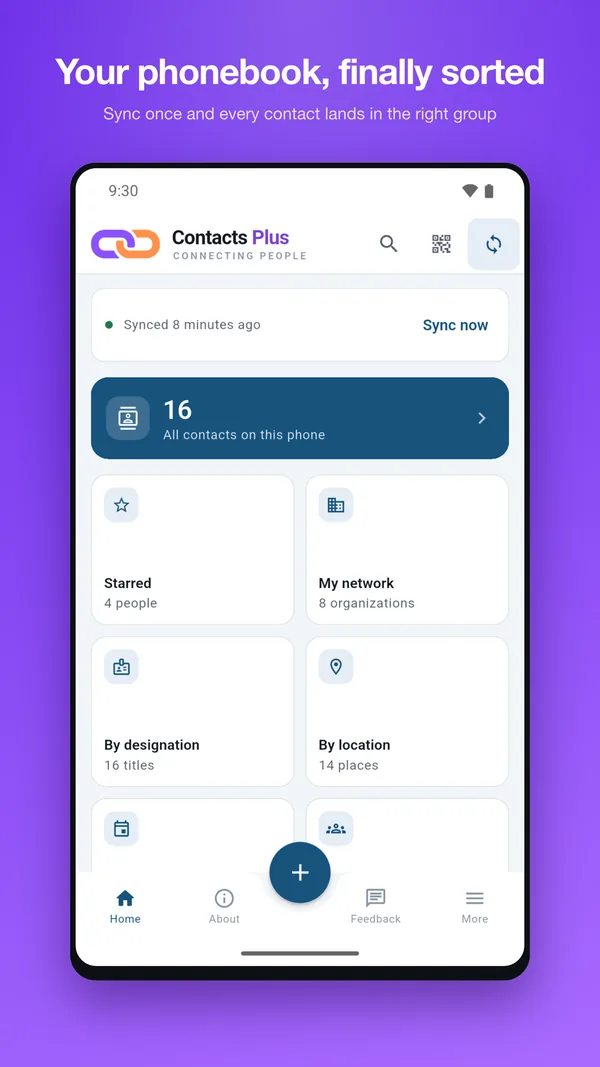
This is the gap Contacts Plus fills. It reads the fields already on your device and turns them into views:
- My network — every contact grouped under their organization, so the six people you know at one firm sit together.
- By designation — grouped by job title, for when you need a role rather than a person.
- By location — grouped by the city in their address, which is what you want before a trip.
- By events — birthdays and anniversaries laid out by month, with optional reminders.
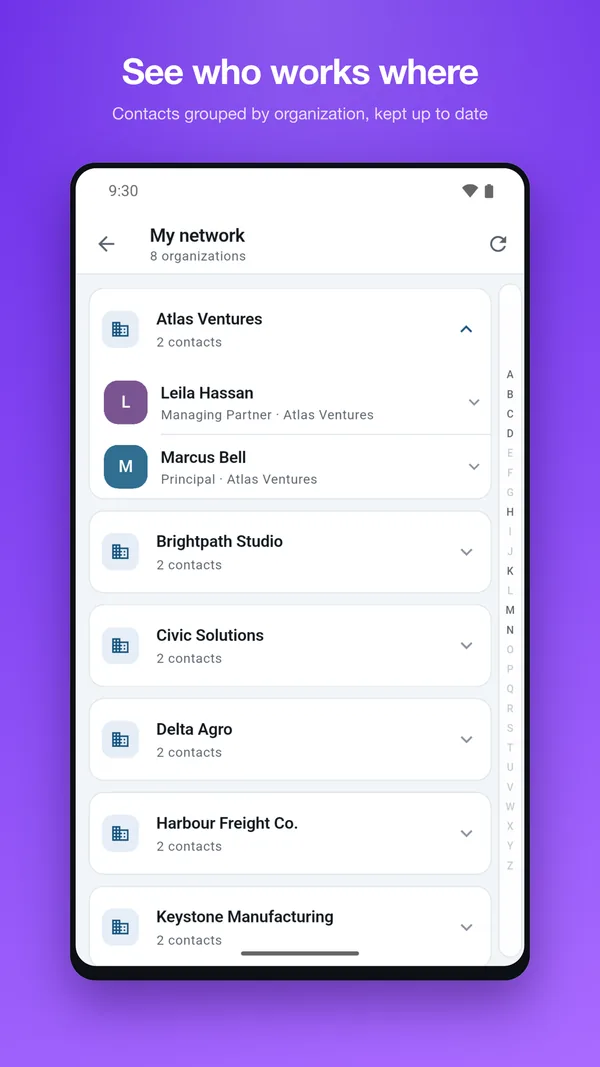
Nothing is re-entered and nothing is uploaded; it is a different lens on the contact list you already have. Browsing by company and by designation are two of the three features behind its one-time purchase — the search, events, location and QR-sharing views are free.
The wider point
A contact list is a database that most people only ever query one way. Ten minutes spent filling in company and title for the thirty people you actually deal with turns it into something you can ask real questions of.
Do that, and the next time you are trying to remember who you know at a company, you will not be scrolling the alphabet.