SnapVault
Capture. Organize. Remember.
Your screenshots are your memory. Make them searchable.
Bills, receipts, Wi-Fi passwords, quotes, recipes. SnapVault catches every screenshot the moment you take it, files it in one tap, and reads the text inside so you can find it again in seconds.
Android · Free to start · One-time purchase for Pro
- Instant screenshot detection, even in the background
- On-device OCR search across every image
- Cut the background out of any screenshot or photo
- No account, no cloud, no ads
- Pro is a one-time purchase
What it does
Built around one job: capture. organize. remember
SnapVault organizes Android screenshots automatically. On-device OCR makes every word searchable, nothing leaves your phone, and Pro is a one-time purchase.
Caught the moment you shoot
SnapVault detects a new screenshot instantly — even when the app is closed — and offers to tag and file it without pulling you out of whatever you were doing.
Search the words inside your images
On-device OCR indexes the text in every screenshot. That Wi-Fi password, order number or address is two taps away, searchable alongside your tags and notes.
Cut the background out, on your phone
Lift the subject out of any screenshot or photo and drop what was behind it. Keep it transparent, blur the original back in for a magazine-cover look, or pick a flat colour. It runs on-device, and the cut-out is saved as a new image so the original is untouched.
A private vault, not a cloud
Organized screenshots move into SnapVault’s app-private storage. No account, no sign-up, no upload, no tracking — there are no servers to send them to.
Collections that make sense
Thirteen ready-made collections — Bills, Finance, Learning, Quotes, Recipes, Programming and more — plus your own. Smart suggestions file each shot based on what is actually in it.
Fix it before you file it
Crop before saving, attach a note, adjust the suggested tags — or bin the junk shots without saving them at all. A recycle bin means nothing is lost by accident.
Backup on your terms
Back the vault up to any folder you pick — device storage, SD card, or a synced cloud folder. Each collection lands in its own subfolder, automatically after you organize.
Screens
SnapVault, screen by screen
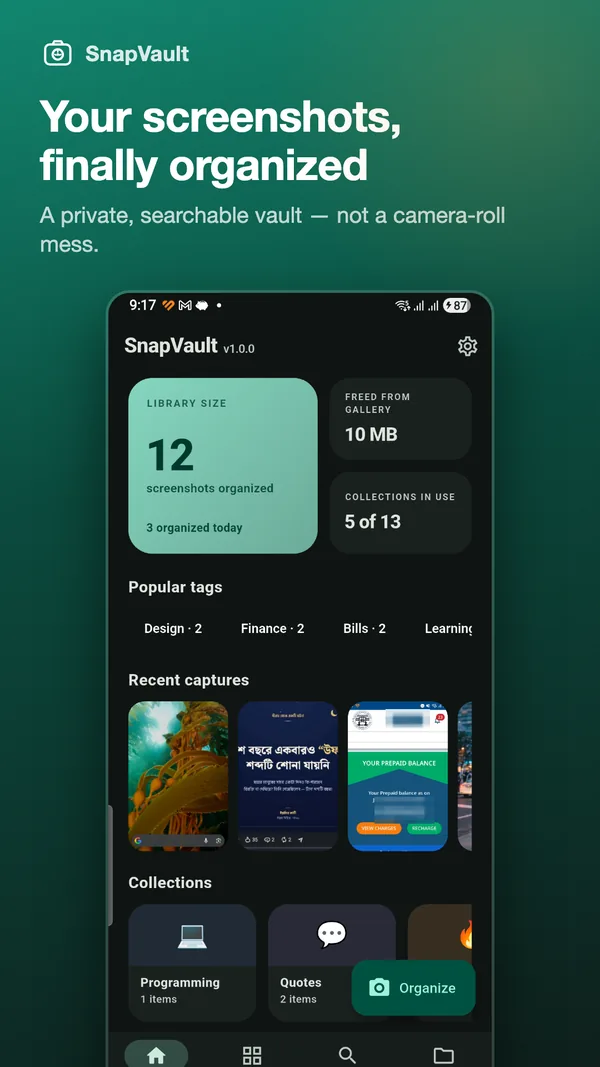
See your vault at a glance
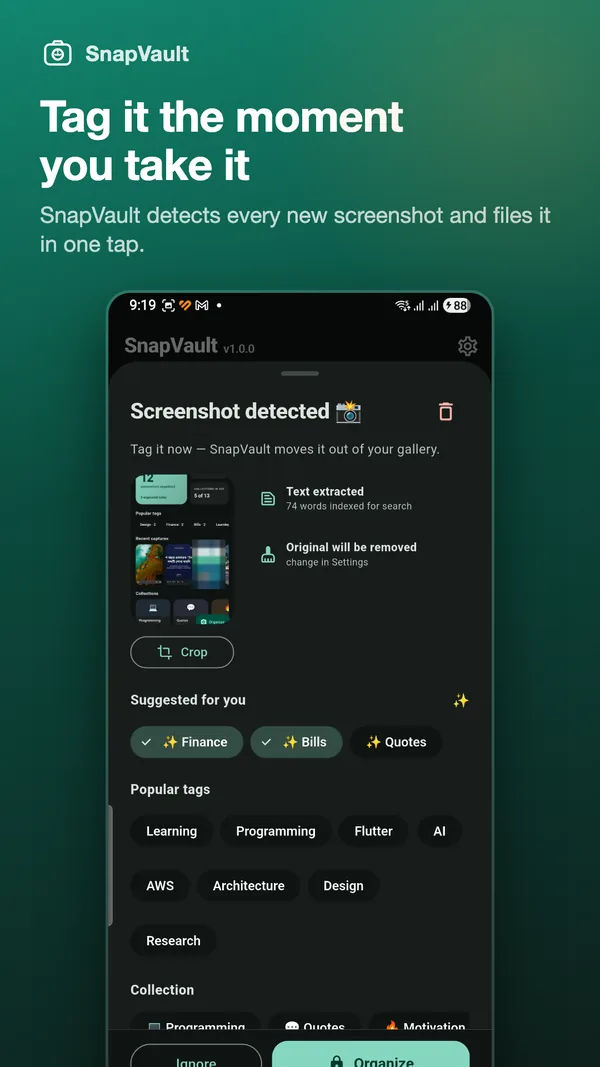
Tag it the moment you take it
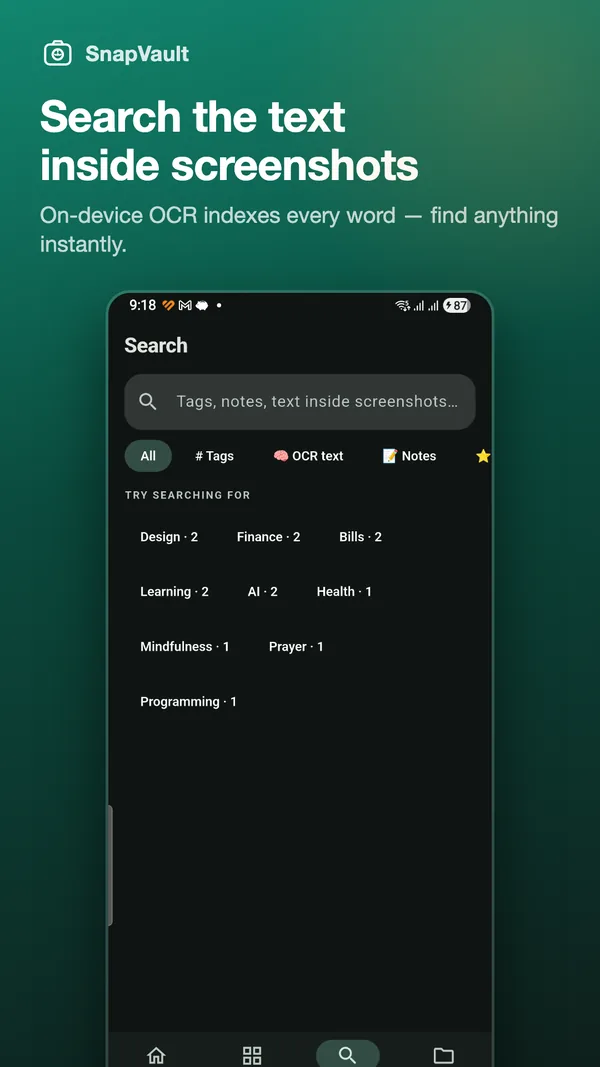
Search the text inside screenshots
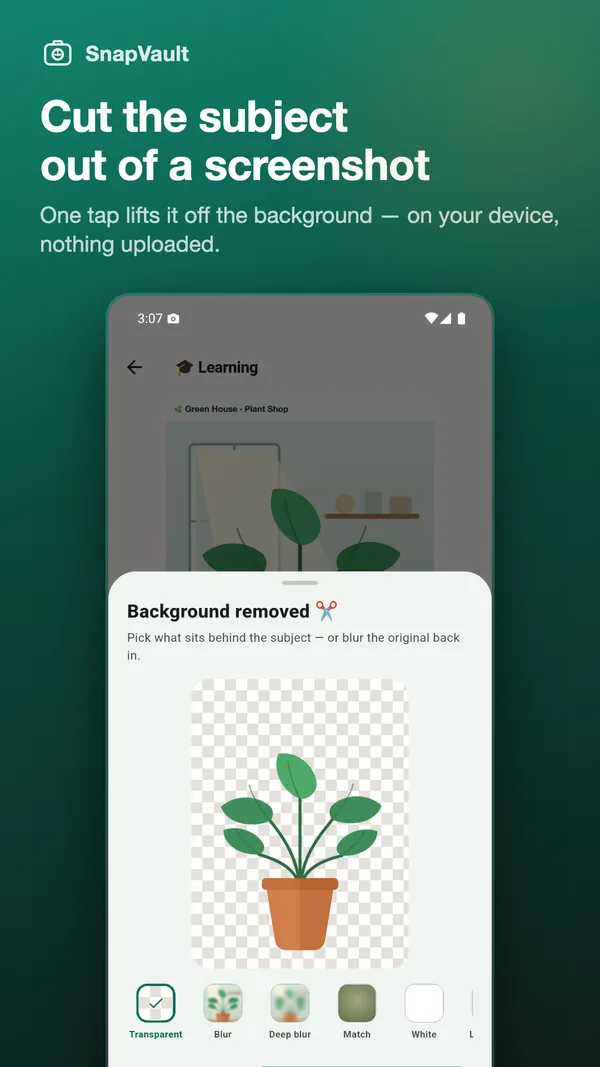
Lift the subject out, on your device
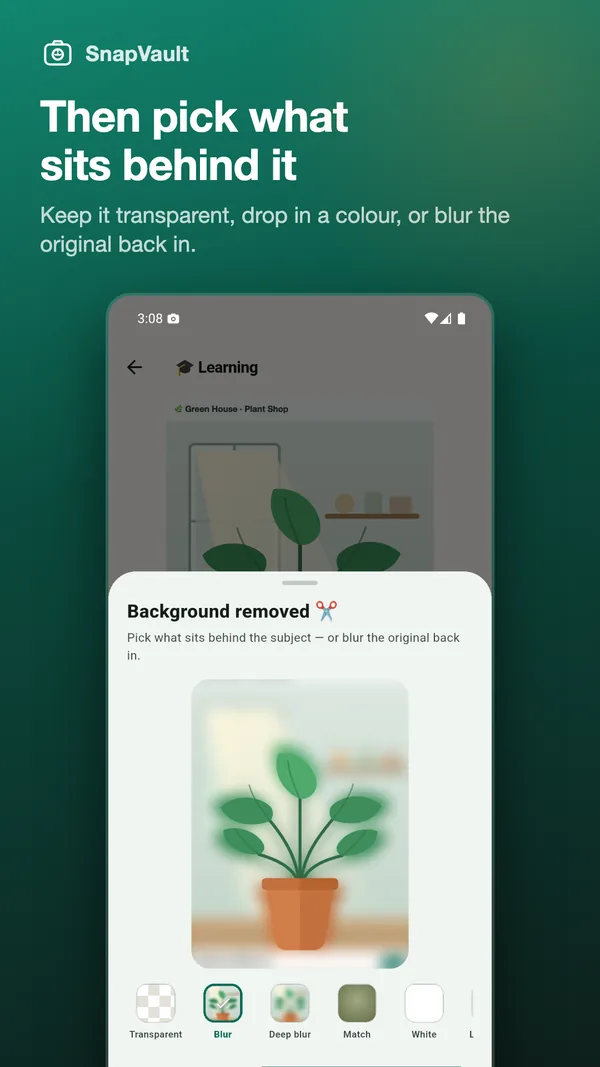
Then pick what sits behind it
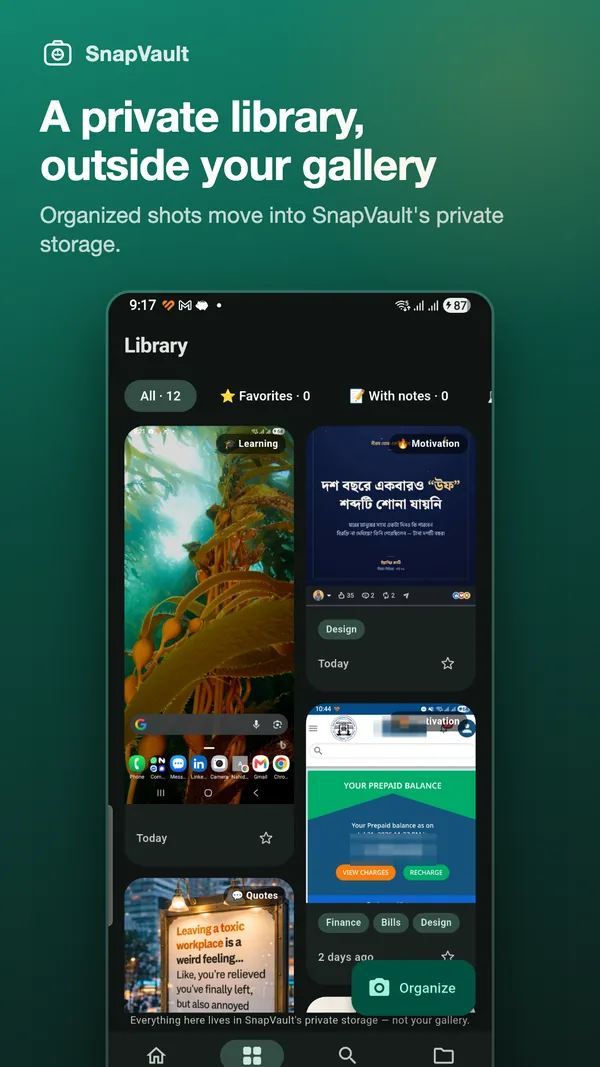
A private library, outside your gallery
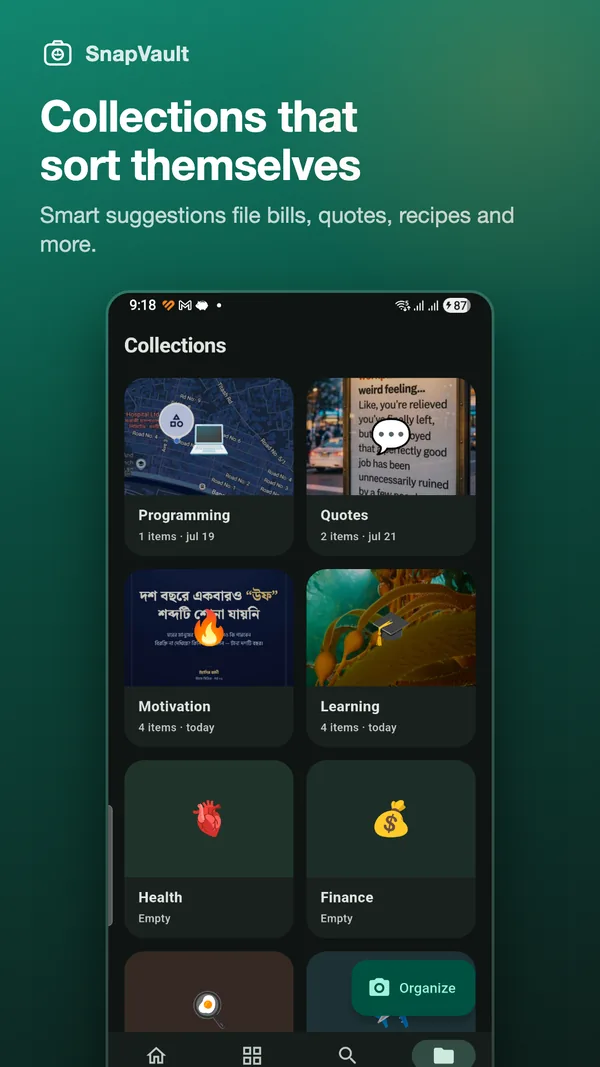
Collections that sort themselves
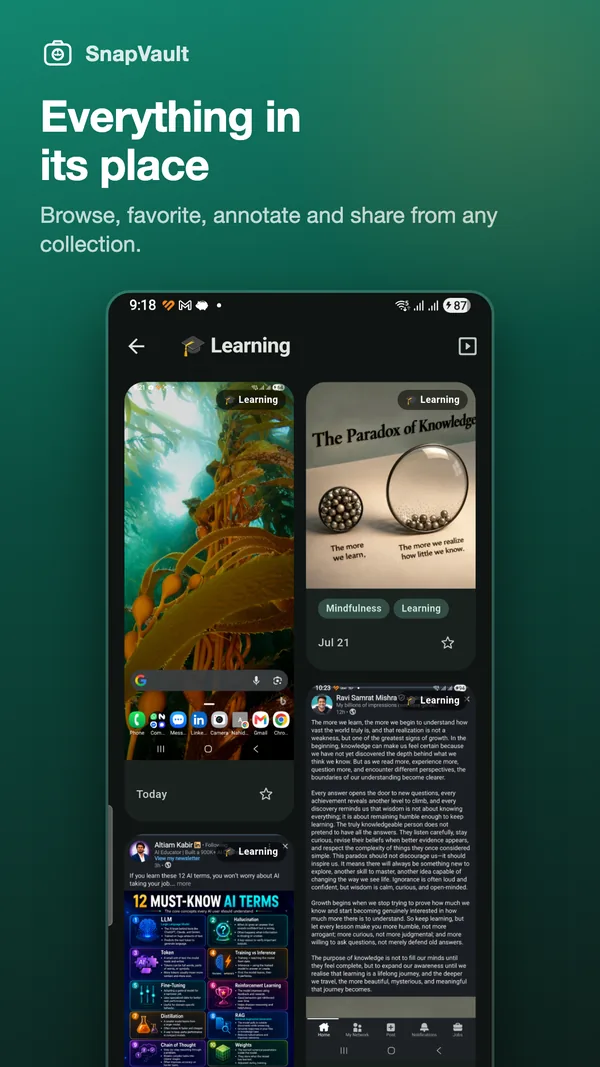
Everything in its place
Pricing
Free to start. Pro is bought once.
There is no subscription and there are no ads. SnapVault Pro is a single one-time purchase, and Google Play shows the price in your own currency.
| Capability | Free | Pro |
|---|---|---|
| Organized screenshots | Up to 100 | Unlimited |
| Search tags and notes | ✓ | ✓ |
| Search text inside images (OCR) | — | ✓ |
| Background removal (cut out the subject) | — | ✓ |
| Folder backup, manual and automatic | — | ✓ |
| Custom collections and tags | — | ✓ |
| Recycle bin with restore | ✓ | ✓ |
| Ads, tracking or accounts | None | None |
Questions
Frequently asked
Do my screenshots ever leave my phone?
No. Everything — including OCR — happens on your device. SnapVault has no accounts and no servers, so there is nowhere for your screenshots to be uploaded to. The only exception is folder backup, which writes to a folder you choose yourself; if you point it at a synced cloud folder, that folder’s own app does the syncing.
Is SnapVault free?
Yes, for up to 100 organized screenshots, including search across your tags and notes. SnapVault Pro is a single one-time purchase that unlocks the unlimited vault, OCR full-text search, background removal, folder backup and custom collections. The price is shown in your own currency in the app.
Is there a subscription?
No. Pro is bought once and stays unlocked. There is no recurring charge of any kind.
Does it still catch screenshots when the app is closed?
Yes. A background service watches for new screenshots and posts a capture alert you can act on straight away, so you never have to remember to open SnapVault first.
Will it delete the originals in my gallery?
Only if you ask it to. Removing the original after filing is optional, and it is how you reclaim gallery space. Anything SnapVault removes goes through a recycle bin you can restore from.
Which permissions does SnapVault need, and why?
Photos and media access, so it can detect and file your screenshots, and notifications, so it can alert you when a new one is captured in the background. Nothing else.
How does the background remover work, and does it upload my image?
It runs entirely on your phone, using Android’s on-device subject segmentation — the same class of model that powers your camera’s portrait mode. Nothing is uploaded and no account is involved. Tap “Cut out” on any screenshot or imported photo, pick what goes behind the subject, and SnapVault saves the result as a new image tagged Cutout; the original is left exactly as it was.
What can I put behind a cut-out subject?
Transparent, so it drops straight into a doc or a sticker. Blur or Deep blur, which put the subject back on its own out-of-focus surroundings for a magazine-cover look. Match, which samples the subject’s own colours into a soft backdrop. Or a tile pattern and nine flat colours. You see the choice on a preview sheet before anything is saved, and backing out saves nothing.
Why does “Cut out” sometimes say it found no subject?
Because there was not one. The model looks for a distinct subject — a person, a pet, an object, a product shot — so a screenshot of a settings page or a wall of text has nothing to lift out, and SnapVault says so rather than returning a mangled image. On a fresh install the first attempt can also report that the remover is still being prepared, because the model is delivered by Google Play services rather than bundled into the app; give it half a minute and try again.
Is there an iPhone version?
Not today — SnapVault is an Android app. The background screenshot detection it is built around is not something iOS allows an app to do.
Try SnapVault today
Free to start, no account needed, and nothing leaves your phone.