Contacts Plus
Connecting people.
Your phonebook already knows who everyone is. It just never told you.
Contacts Plus reads the company, job title, location and dates already sitting in your contacts and turns them into something you can actually navigate — then scans business cards straight into it.
Android · Free to start · One-time purchase for Pro
- Group contacts by company, job title and location
- On-device business card scanning
- Call reminders that repeat and snooze
- Birthday and anniversary reminders
- One-time purchase, no ads
What it does
Built around one job: connecting people
Contacts Plus organizes Android contacts by company, job title and location, scans business cards on-device, and reminds you to call people back. One-time purchase.
Find anyone before you finish typing
Search across names, phone numbers, job titles, companies and keywords at once. No more scrolling an alphabetical list hoping you remember how you saved someone.
See who works where
My Network groups every contact by organization, so the six people you know at one company sit together instead of scattered across the alphabet.
Scan a business card, keep the person
Point the camera at a card — or pick a photo of one — and on-device text recognition pulls out the name, company, title and numbers. You review everything before it is saved.
Remind yourself to call them back
Tap Remind to Call on anyone and pick a moment — in an hour, this evening, tomorrow morning, next week, or a date and time you choose. Calls to make then lists what is overdue, due today and coming up, with call, snooze and done on every row.
Keep in touch on a repeat
Set a call reminder to come back daily, weekly, fortnightly or monthly. Making the call rolls it forward to its next turn on its own, so the people you mean to stay in touch with keep resurfacing without you rebuilding the reminder each time.
Never miss a birthday again
Birthdays and anniversaries already in your contacts, laid out by month, with optional reminders scheduled on your device. Off by default — you decide who is worth a nudge.
Grouped by title, place and more
Browse by designation to find every engineer or every managing partner, by location to see who is in a city before you travel, or by starred, group and blood type.
Share a contact as a QR code
Show a QR code and let the other person scan it. They save the contact instantly — no typing, no typos, no app required on their side.
Screens
Contacts Plus, screen by screen
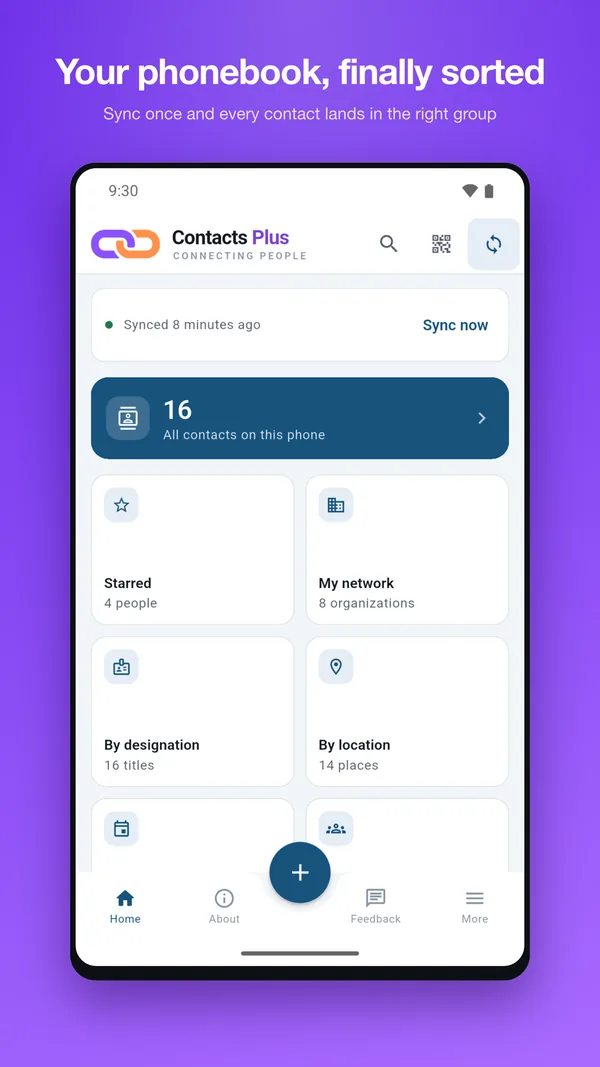
Your phonebook, finally sorted
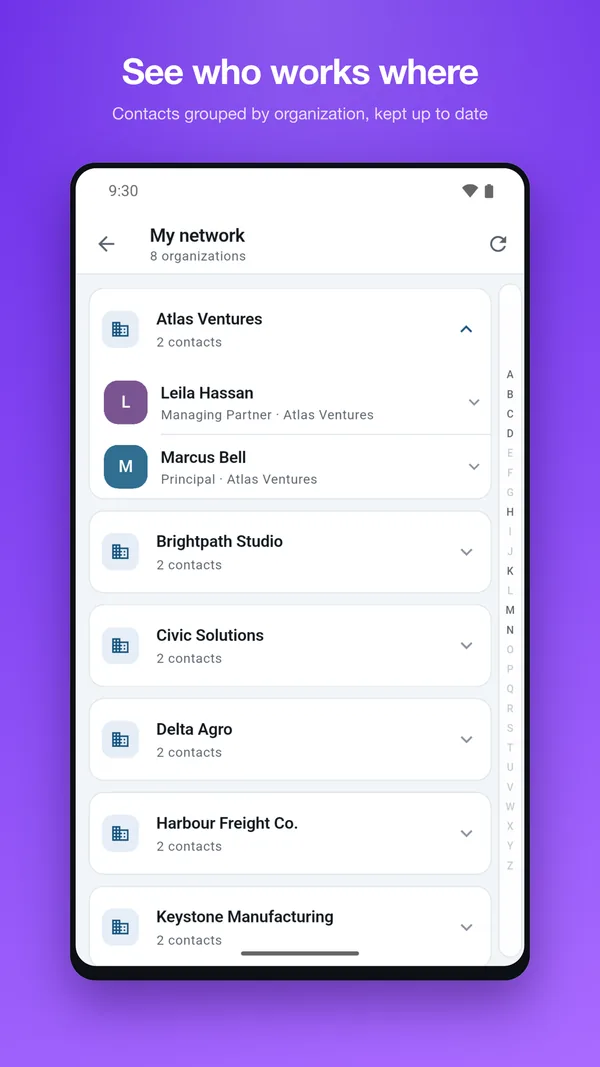
See who works where
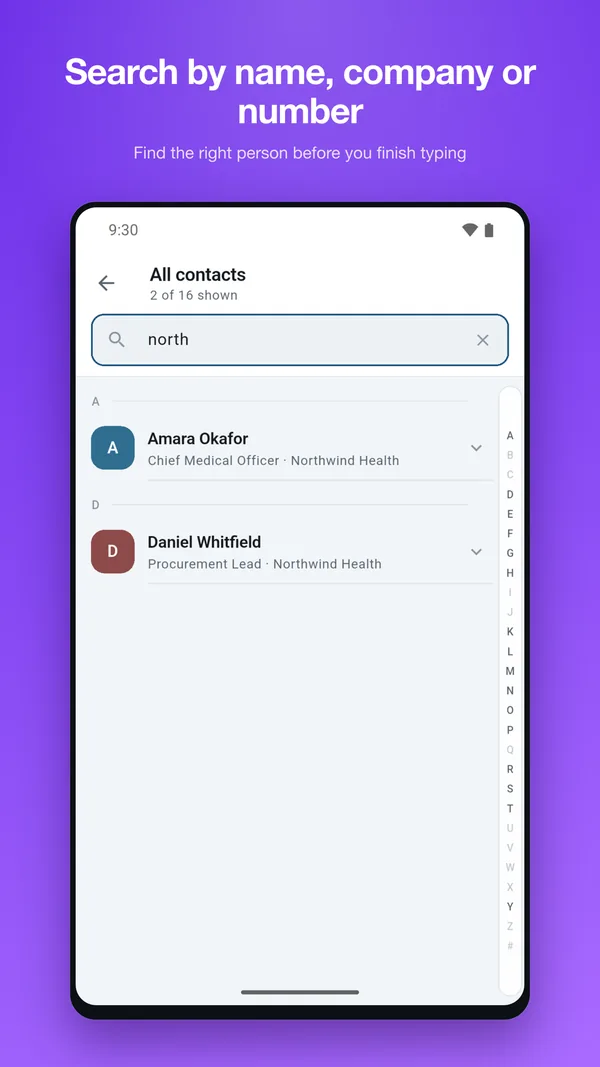
Search by name, company or number
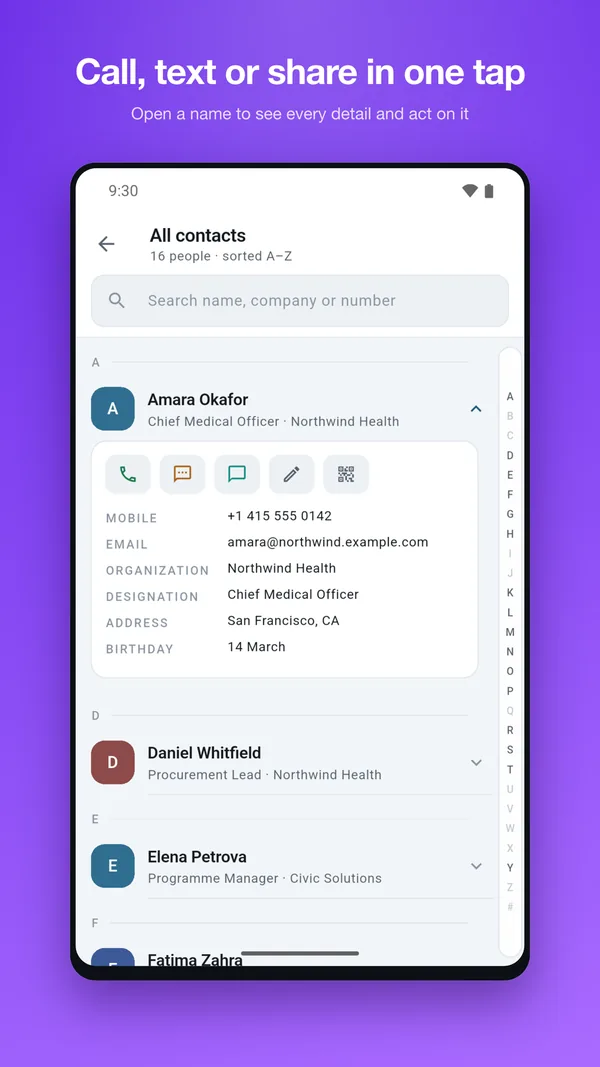
Call, text or share in one tap
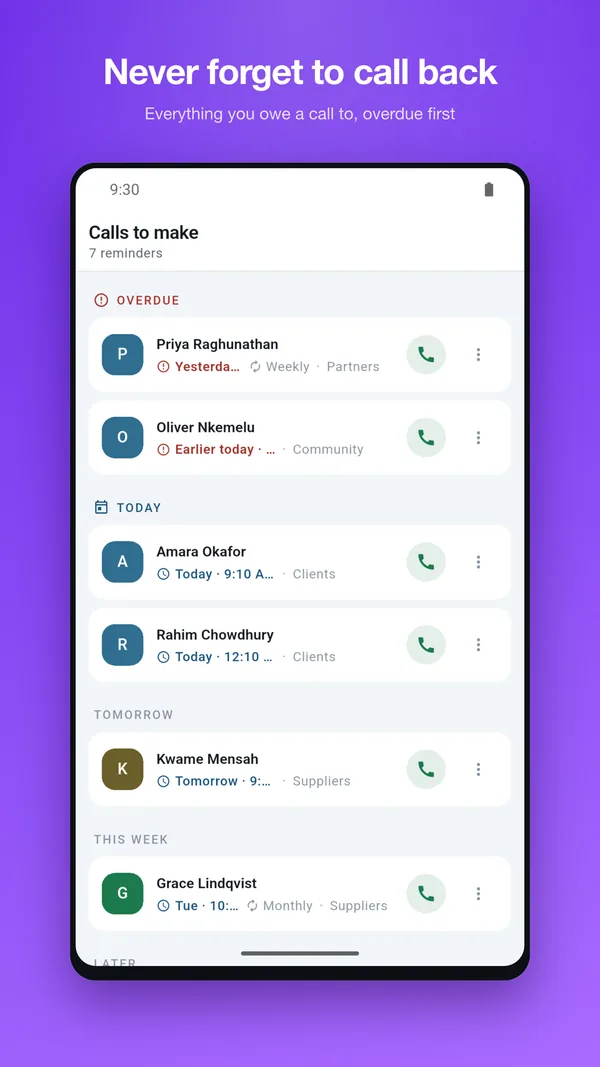
Never forget to call back
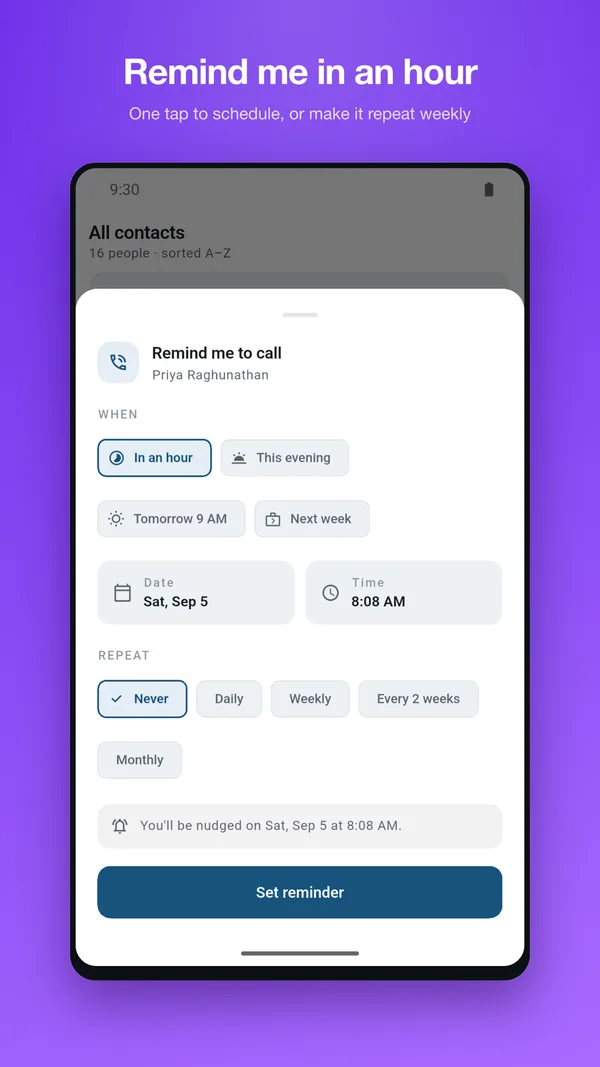
One tap to schedule, or repeat it
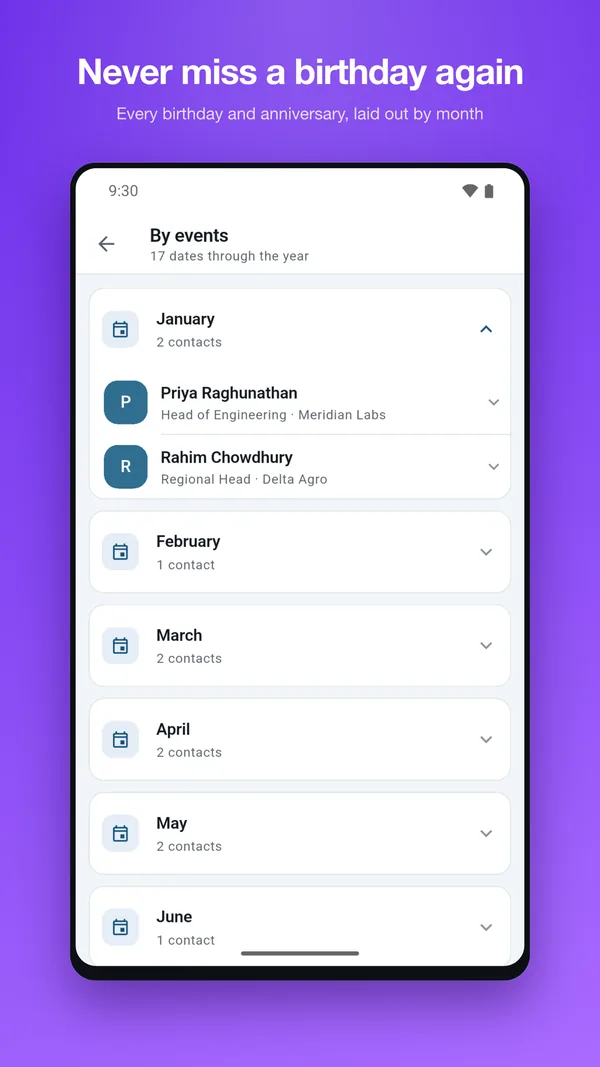
Never miss a birthday again
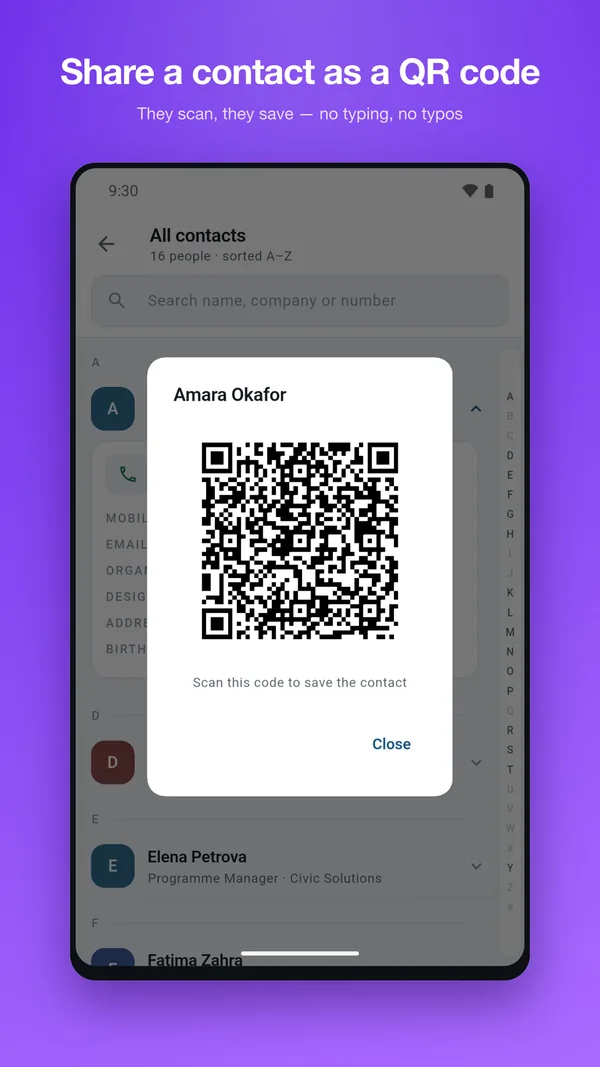
Share a contact as a QR code
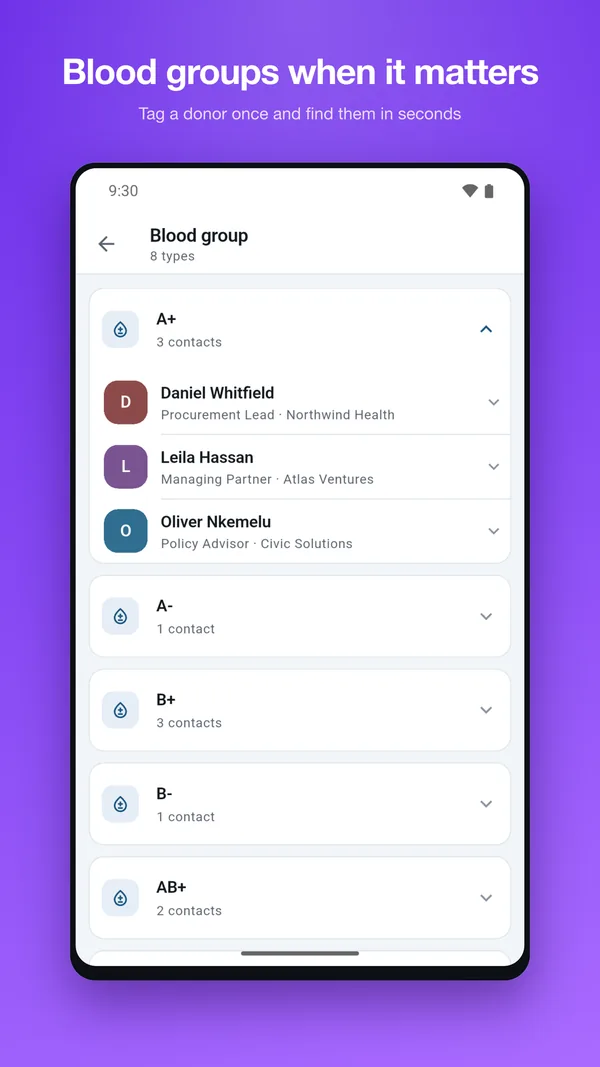
Blood groups when it matters
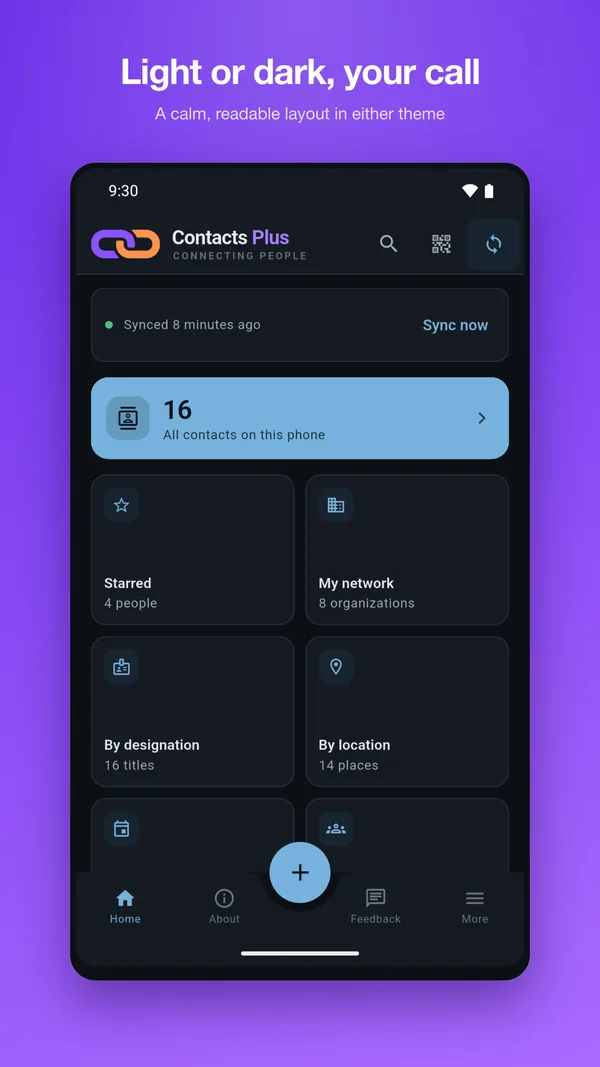
Light or dark, your call
Pricing
Free to start. Pro is bought once.
There is no subscription and there are no ads. Contacts Plus Pro is a single one-time purchase, and Google Play shows the price in your own currency.
| Capability | Free | Pro |
|---|---|---|
| Smart search by name, number, title or company | ✓ | ✓ |
| Birthday and anniversary reminders | ✓ | ✓ |
| Call reminders with snooze and repeat | ✓ | ✓ |
| Group by location, blood type and starred | ✓ | ✓ |
| Share a contact as a QR code | ✓ | ✓ |
| Business card scanner | — | ✓ |
| My Network — grouped by company | — | ✓ |
| Browse by designation | — | ✓ |
| Ads or subscriptions | None | None |
Questions
Frequently asked
Where are my contacts stored?
On your phone, in the contact list you already have. Contacts Plus reads and organizes what is on the device — it does not host a separate copy of your address book in the cloud.
Does the card scanner send photos to a server?
No. Text recognition runs on your device, so the card image and the text pulled from it stay on your phone. You see the parsed result and confirm it before anything is saved.
What do I get for free, and what costs money?
Search, call reminders, birthday and event reminders, location and blood-type grouping, groups, starred and QR sharing are all free. Three features are unlocked by a single one-time purchase: the business card scanner, My Network, and browsing by designation. The price is shown in your own currency in the app.
Is this a subscription?
No. It is a one-time purchase and it stays unlocked. Contacts Plus moved off subscriptions entirely, and earlier subscribers keep their access.
Are there ads?
None anywhere in the app, free or paid.
How do call reminders work?
Open a contact, tap Remind to Call and choose when — in an hour, this evening, tomorrow morning, next week, or your own date and time — and optionally a repeat of daily, weekly, fortnightly or monthly. When it is due your phone shows a notification that opens Calls to make, where one tap dials. Making the call clears a one-off reminder and rolls a repeating one on to its next turn.
Are call reminders a Pro feature?
No. Call reminders, including repeats and snoozing, are free. The one-time purchase covers the business card scanner, My Network and browsing by designation.
Do the birthday reminders spam me?
Reminders are off until you turn them on, and they are scheduled locally on your device in your own time zone. You choose which dates are worth a notification.
Is there an iPhone version?
Not at the moment. Contacts Plus is an Android app.
Try Contacts Plus today
Free to start, no account needed, and nothing leaves your phone.