How to break phone addiction on Android, one pause at a time
Screen time reports tell you that you lost four hours. They never tell you how. Here is what actually works against compulsive phone use — and why the fix is measured in seconds, not app limits.
Android's Digital Wellbeing screen is very good at one thing: making you feel bad on a Sunday.
Four hours and eighteen minutes. A ring chart. A number for each app. What it never shows is the mechanism — that those four hours arrived as roughly ninety separate unlocks, most of them under a minute, almost none of them chosen.
That gap between the total and the mechanism is why the usual advice does not work. You cannot fix ninety reflexes with one weekly guilt trip.
Why app timers fail
The standard remedy is a daily limit: 30 minutes on the social app, then it greys out.
Three problems.
The limit arrives at the wrong moment. It fires after the habit has already run for half an hour, when you are deep in the feed and least receptive. Nothing about the start of the session was touched.
Fifteen more minutes is one tap away. Every timer ships with a snooze, because a timer with no escape hatch gets switched off entirely. So the wall you meet at minute thirty is a wall with a door in it, and you already know where the handle is.
It measures the wrong unit. Time-on-device is a symptom. The disease is the unlock — the automatic reach for the phone in a gap. Someone who opens an app forty times for thirty seconds each has a worse habit than someone who watches one twenty-minute video, and the screen time report calls them equal.
Count openings, not minutes
Change the unit and the problem becomes tractable.
An unlock is a discrete event with a clear before and after, so you can put something in between. There is no equivalent intervention for "four hours" — it is a number you can only regret afterwards.
Count them for a day and the shape of the habit shows itself. Almost all unplanned openings happen in a gap: standing up from a desk, waiting for a kettle, the moment a hard task gets difficult, the ten minutes in bed before sleep. The phone is not being chosen over something else. It is filling a two-second void.
The intervention: ten seconds
Put a pause between the gap and the feed.
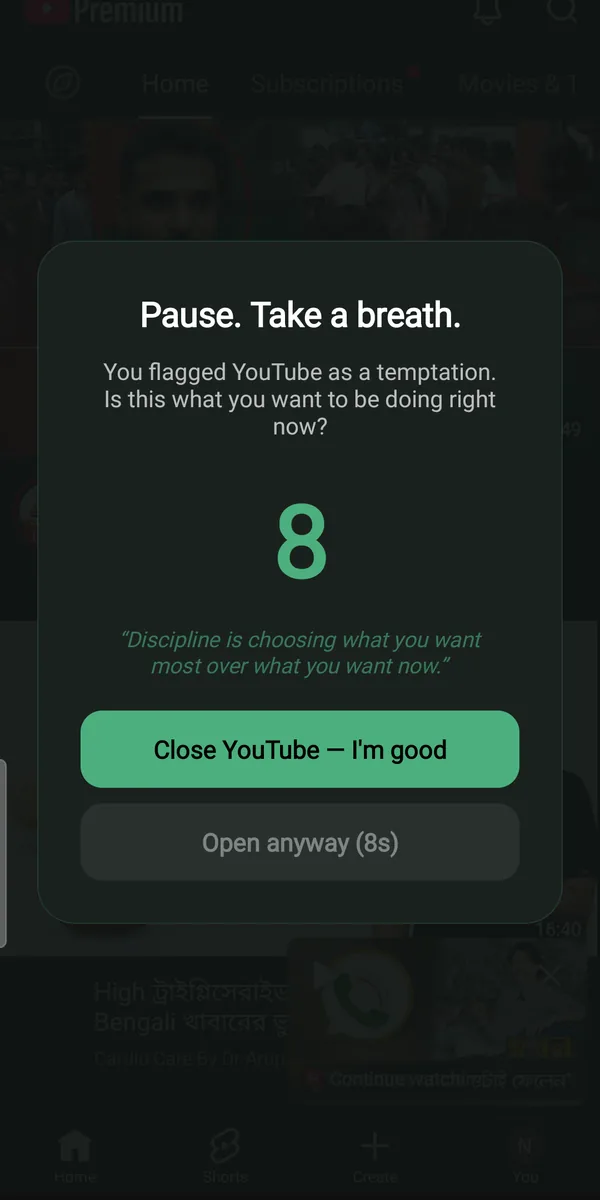
Not a block — a delay. When a flagged app comes to the foreground, a full-screen countdown appears over it. Closing it works instantly. Opening it anyway works too, once the countdown ends.
Ten seconds sounds trivially short. It is not, for two reasons.
It exceeds the reflex's attention span. The automatic sequence is unlock-tap-scroll, and it runs in under two seconds. Ten seconds of nothing is longer than the reflex can hold, so the loop breaks and you become a person making a decision — usually for the first time that hour.
It costs more than the reward is worth. Most of those ninety openings deliver almost nothing; they were never about content. Once opening costs ten seconds of standing there watching a timer, a large share simply stop being worth it. You close the app not from discipline but because you can suddenly see the trade.
This is what TemptShield implements. You choose which apps get the pause, so the ones that fill your gaps — a feed, a video app, a game, a browser — get slowed down while your maps, your messages and your bank stay normal. Every attempt is scored as tackled or opened anyway.
Watch the number that means something
Tackled versus opened anyway is a far better metric than screen time, because it tracks a decision rather than a duration.
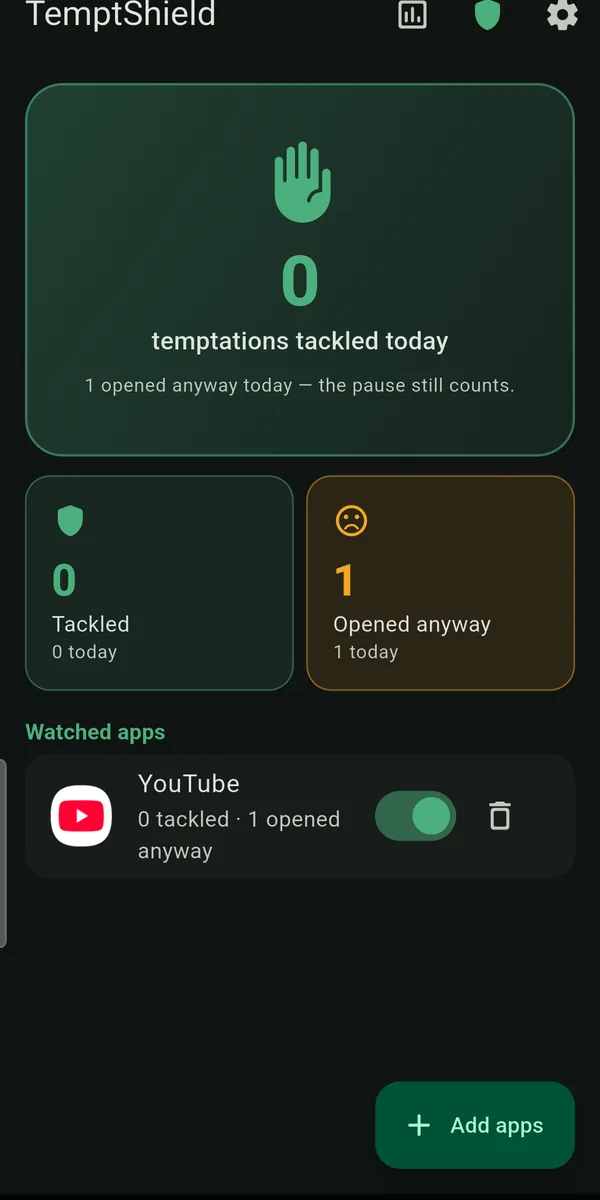
TemptShield keeps today's score on the home screen and a weekly and monthly report with a "% resisted" figure, a day-by-day breakdown, and per-app totals. Within a week that gives you things a screen time report never will:
- Which app is genuinely the problem, as opposed to which is loudest in the pie chart.
- Which days and which hours are hard — Tuesday evenings, Sunday nights, the last hour before bed.
- Whether you are improving, in a number that goes up rather than a number that shames you.
And it is not a scoreboard for anyone else. There is no account and no server, so the data is not a report card, and nobody is going to see it.
Four supporting moves
The pause does the heavy lifting; these remove the easy runs around it.
- Get the feeds off the home screen. Not deleted, just off the first surface. Anything requiring a swipe and a search is no longer reachable by pure muscle memory.
- Greyscale in the evening. Android's Bedtime mode drains the colour out of the screen. A grey feed is measurably less compelling — the design was leaning on saturation the whole time.
- Charge it in another room. The last hour and the first hour of the day are where compulsive use is worst and where nothing important is happening. Buy an alarm clock.
- Give the gap something else. A reflex with nowhere to go finds its way back. Keep a book, a notebook, or nothing at all — being briefly bored is not an emergency, and reacquiring the ability to sit in a two-second void is most of the win.
Expect a bad week
The first days after the pause goes in are usually irritating. You will hit the countdown, be annoyed by it, wait it out, and open the app anyway. That is fine, and it is recorded as such rather than treated as a failure.
What changes is not the urge count in week one. It is that the openings become visible. You start noticing the reach before you complete it, and noticing is the entire mechanism — a habit you can see is a habit you can interrupt. The tackled number moves after that, not before.
Give it two weeks before you judge it. Then look at the report, not at your memory: memory keeps a record of slips only, which is exactly the wrong data for deciding whether something is working.